Turn your AI clips into one finished video.
A full timeline video editor that runs in your browser, with an AI editor that works right on the timeline. Bring your clips, your song and your voiceover. Leave with the video.
Free to edit and render. Sign in with Google. Runs on a desktop browser.
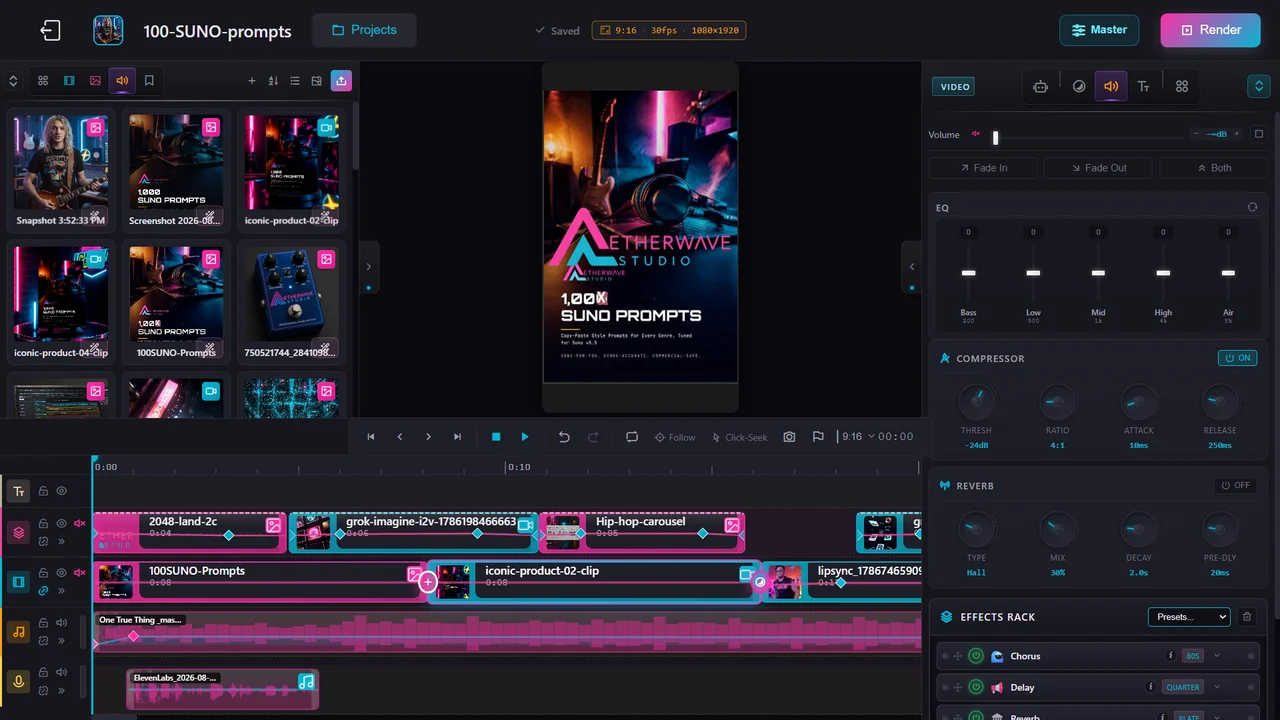
Everything after the generation.
AI gives you great six-second clips. It does not give you a finished video. That is the part Project Studio is for.
Bring it in
Everything you have made on AetherWave is already in your media library. Upload your own footage too, several files at once.
Cut it together
Drag, trim and layer across five lanes. Add transitions, text and keyframes. Let the AI editor fill the gaps.
Render
Pick a preset for YouTube, TikTok, Reels or anything else. The render runs on our servers, so you can close the tab. It lands in your gallery.
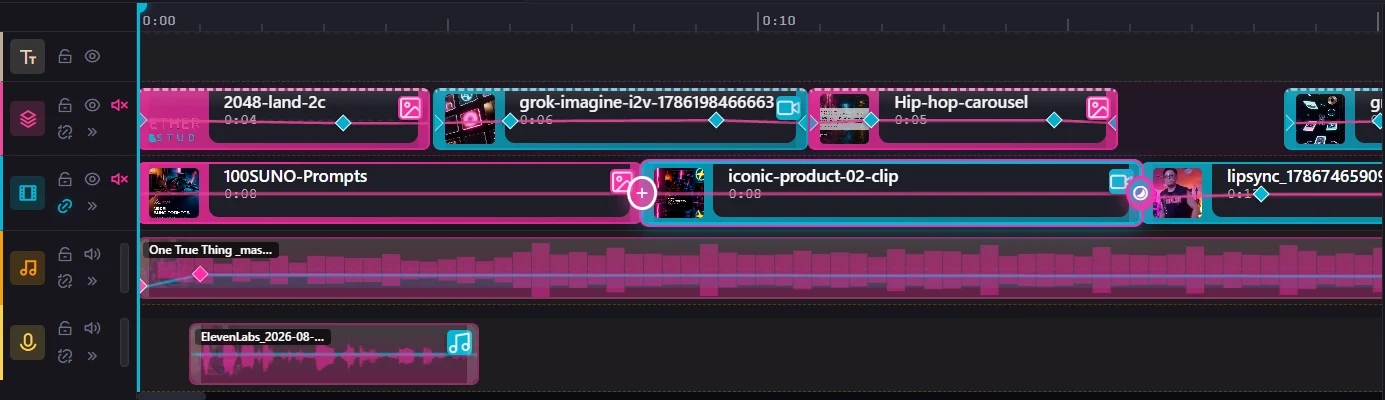
Five lanes, so nothing fights for space.
A real multi-track editor, not a template filler.
- Video, overlay, music, voiceover and text each on their own lane
- Keyframes on volume, opacity, scale, position and color park the playhead, move a slider
- Over 40 transitions, fades and text animations
- Markers, time ranges and loop playback render just a range when you only need a part
An AI editor that edits, not just chats.
It works on your actual timeline. Right-click a clip, or just ask.
You see the credit price before anything generates, and Ctrl+Z undoes it.
An animated still, a clip, and an AI extension of that clip, rendered as one video.
Built by a music platform, so the audio is real.
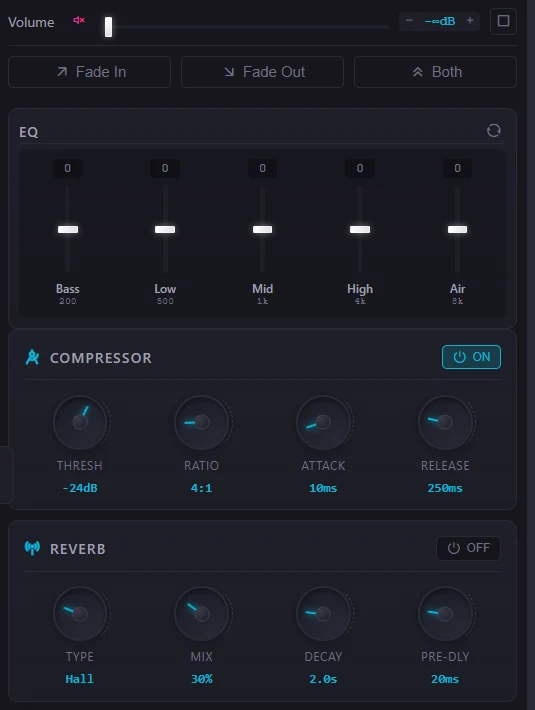
Most browser editors treat sound as an afterthought. Here it is half the product.
- Normalize audio in one click every clip to one even level, voices just above the music
- EQ, compressor and reverb on any clip plus a full effects rack
- Volume keyframes for ducking and fades
- A limiter on the final mix so the export never clips, at streaming loudness
One project, every platform.
Presets in the right shape for where the video is going, or set your own resolution, bitrate and frame rate.
Editing is free. You only pay for AI.
Edit and render
The whole editor, every lane and every effect, with renders saved straight to your gallery.
AI generation
Animating, extending, connecting and voicing use credits from the same balance as the rest of AetherWave. Every dialog shows the price before you commit. See credit packs.
Questions
Is it really free?
Yes. Editing and rendering cost nothing. Only the AI tools, like animating an image or extending a shot, use credits, and you see the price before anything runs.
Do I need to download anything?
No. Project Studio runs in your browser. Sign in with Google and you are in.
Does it work on my phone?
It is built for a desktop browser, where a multi-track timeline has room to work. On a phone you can create your account, then open Project Studio on your computer.
Can I use my own footage and music?
Yes. Upload video, images and audio, several files at once, or pull in anything you have already made on AetherWave.
Where do my videos go?
Renders run on our servers and save straight to your gallery, even if you close the tab. Your projects save automatically as you work.
Your clips are waiting.
Open Project Studio and cut your first video tonight.