How to Make Your Puppy Dance in 4 Steps
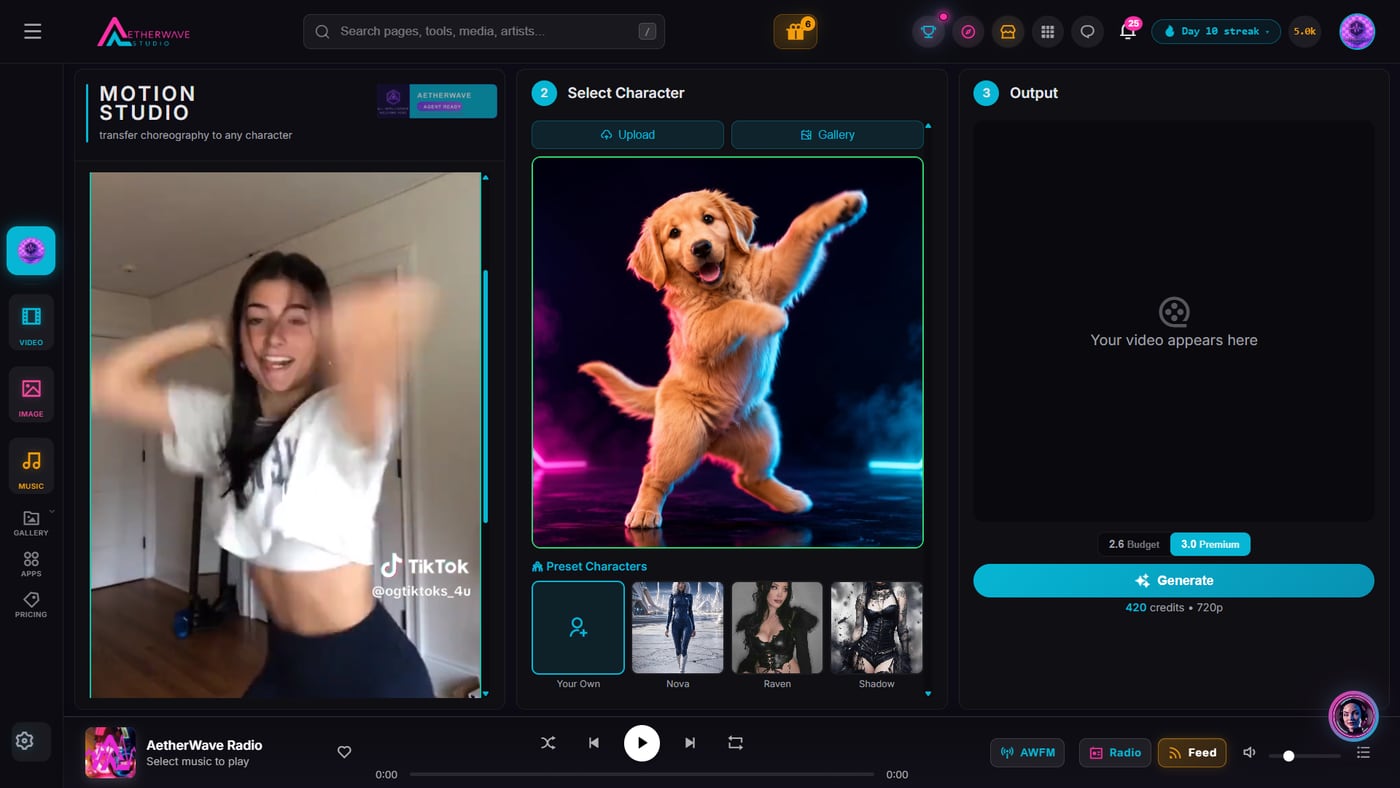
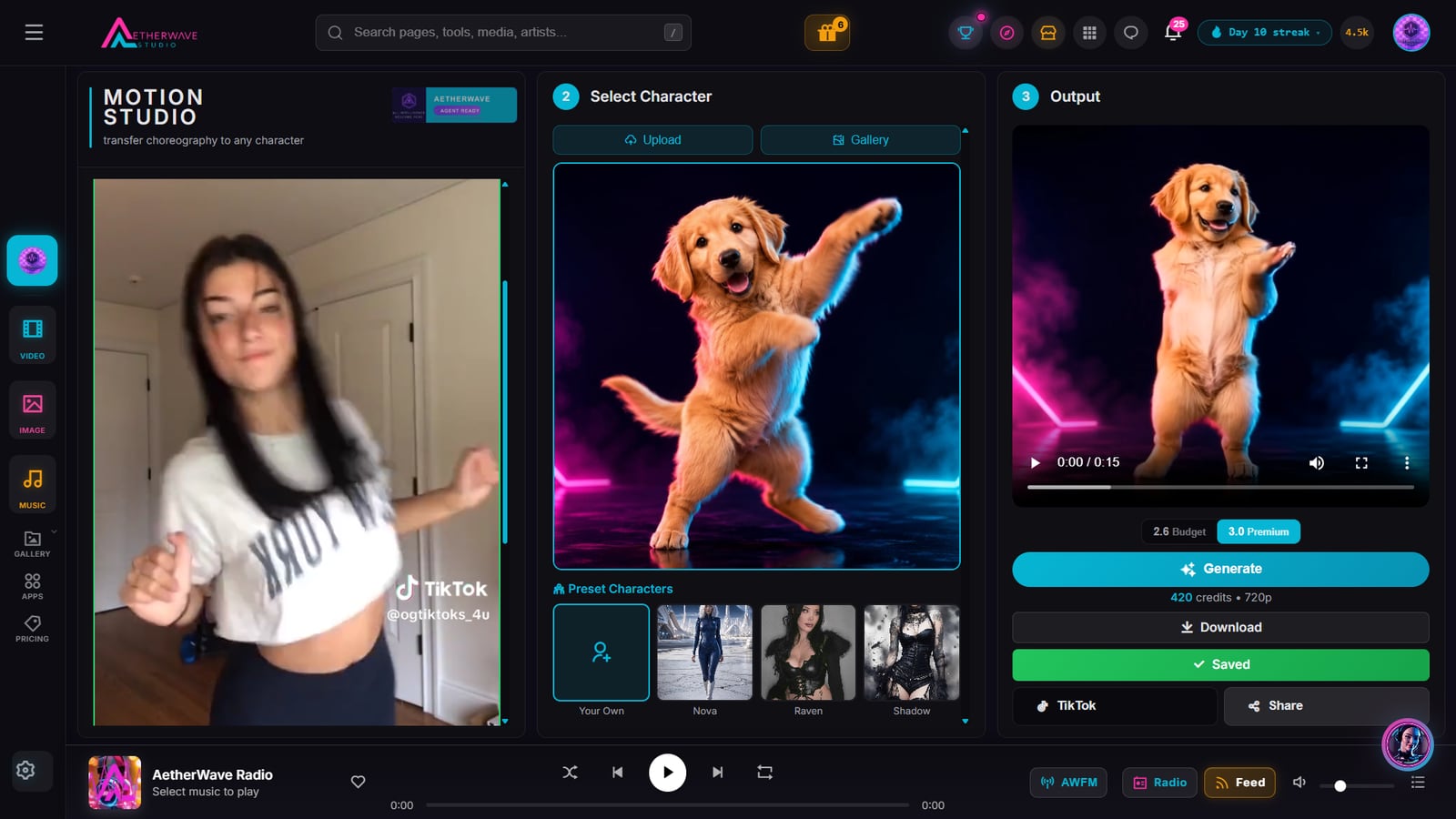
That golden retriever was a still photo a minute earlier. Here is the exact 4-step process that made it dance:
- 1Open Motion Studio and pick a dance
Choose the dance or movement clip you want your puppy to copy. Any short clip with clear motion works. - 2Add a photo of your puppy
Upload one clear photo of your puppy as the character, or pick a preset. A well-lit picture facing the camera gives the best result. - 3Hit Generate
The tool transfers the dance onto your puppy with Kling motion control and renders a short video. It runs as a job while you wait. - 4Download and share
Save your dancing puppy video and post it straight to TikTok, Reels, or Shorts. Add a soundtrack first if you want sound on.
How Motion Transfer makes a puppy dance
Motion Transfer separates the movement in a reference clip from the subject in your photo, then recombines them: your puppy, the reference clip's dance. Your puppy stays recognizably itself while it picks up the choreography.
Because it starts from a single photo, you never have to film your puppy doing anything. One good picture is all it takes.
Tips for the cleanest result
Use a photo where your puppy faces the camera and its whole body is in frame. Pick a dance clip with clear, simple motion for the most believable transfer.
Once the video is done, add a beat with AetherWave's music tools so it is ready to post sound-on.
Frequently Asked Questions
How long does it take to make my puppy dance?
The setup takes under a minute: pick a dance, upload your puppy photo, and generate. The video itself renders as a short job while you wait.
Do I need a video of my puppy?
No. You only need one clear photo of your puppy. Motion Transfer supplies the movement from a separate reference dance clip.
Can I share the result directly?
Yes. When the video is ready you can download it or share it, and it is sized well for TikTok, Reels, and Shorts.
Make Your Puppy Dance
Jump in on AetherWave. Free to start, nothing to install.
Make Your Puppy Dance